Understanding Network Devices

When you build websites or APIs, requests don’t magically reach your server.
They pass through real network devices, each with a specific job.
This article explains the core network devices every developer should understand:
Modem
Router
Switch vs Hub
Firewall
Load Balancer
No hardware knowledge required — just how things actually work.
1️⃣ What Is a Modem and How Does It Connect You to the Internet?
What a Modem Is
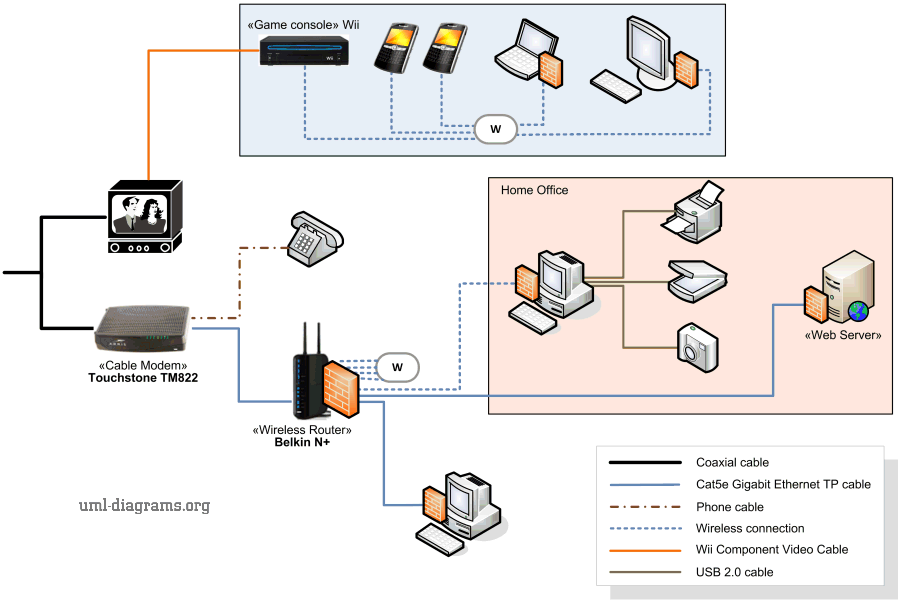
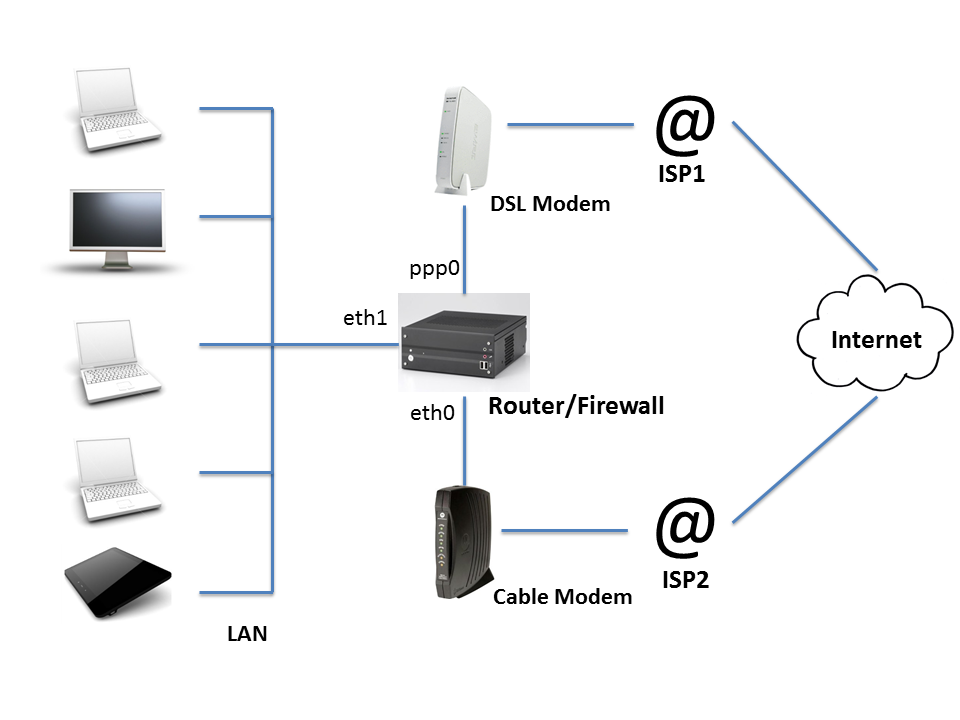
A modem connects your home or office network to your Internet Service Provider (ISP).
Your ISP sends data as:
electrical signals (DSL / cable)
light signals (fiber)
Your computer does not understand these signals.
Modem = translator between ISP signals and digital data

What the Modem Does
Receives signals from ISP
Converts them into digital data
Sends digital data to your router
Without a modem:
- Your network cannot access the internet
2️⃣ What Is a Router and How Does It Direct Traffic?
What a Router Is
A router manages traffic between devices and networks.
It connects:
your local network (LAN)
to the internet (WAN)
Router decides where data should go


What the Router Does
Assigns local IP addresses (192.168.x.x)
Sends outgoing traffic to the internet
Sends incoming responses to the correct device
Why Developers Should Care
Routers explain:
ports (
:3000,:8080)why multiple devices share one internet connection
3️⃣ Switch vs Hub: How Local Networks Actually Work
Hub (Old and Inefficient)
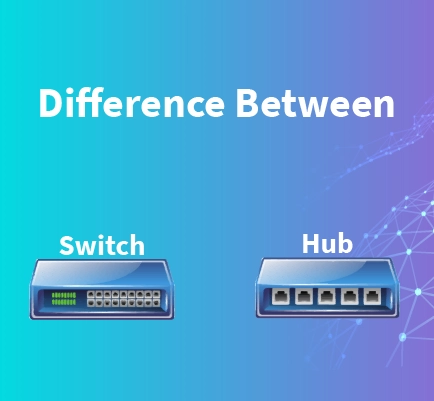
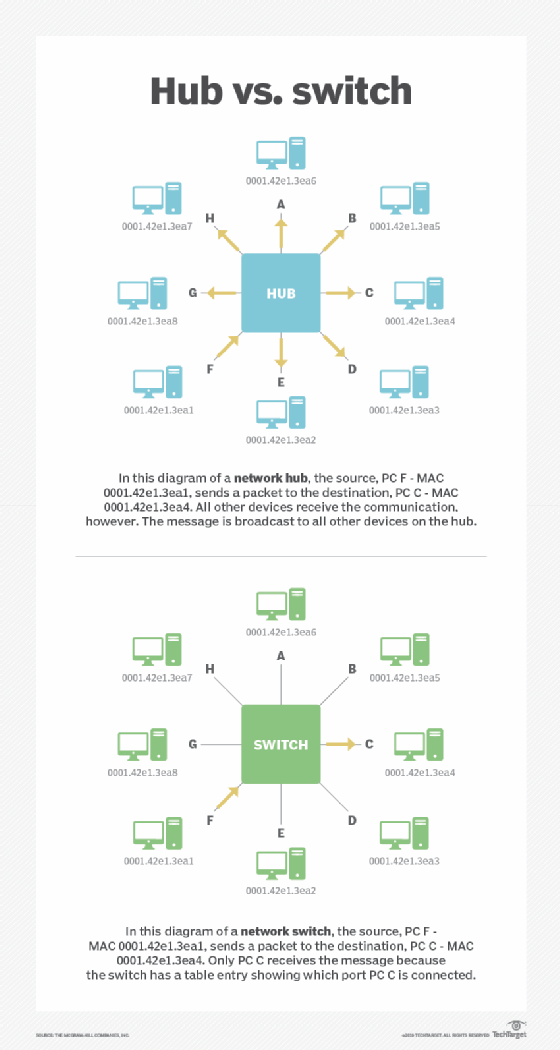
A hub sends data to every device.
Problem:
All devices receive all traffic
Slow and insecure
Switch (Modern and Smart)
A switch sends data only to the intended device.
Switch = organized traffic inside a local network
Why Switches Matter
Faster internal communication
Less noise
Better security
In offices and data centers:
Hubs are obsolete
Switches are everywhere
4️⃣ What Is a Firewall and Why Security Lives Here?
What a Firewall Is
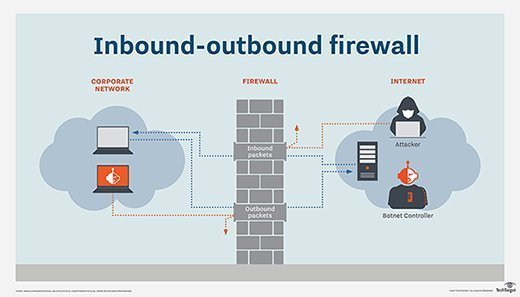
A firewall controls what traffic is allowed or blocked.
Firewall = security gate of the network

What a Firewall Checks
IP addresses
Ports
Protocols
Request patterns
Why Developers Hit Firewall Issues
API works locally but not in production
Port is blocked
Requests timeout
Firewalls protect systems, but misconfiguration causes confusion.
5️⃣ What Is a Load Balancer and Why Scalable Systems Need It?
The Problem Load Balancers Solve
One server:
can crash
can overload
Many users:
need reliability
need speed
Load balancer distributes traffic across servers

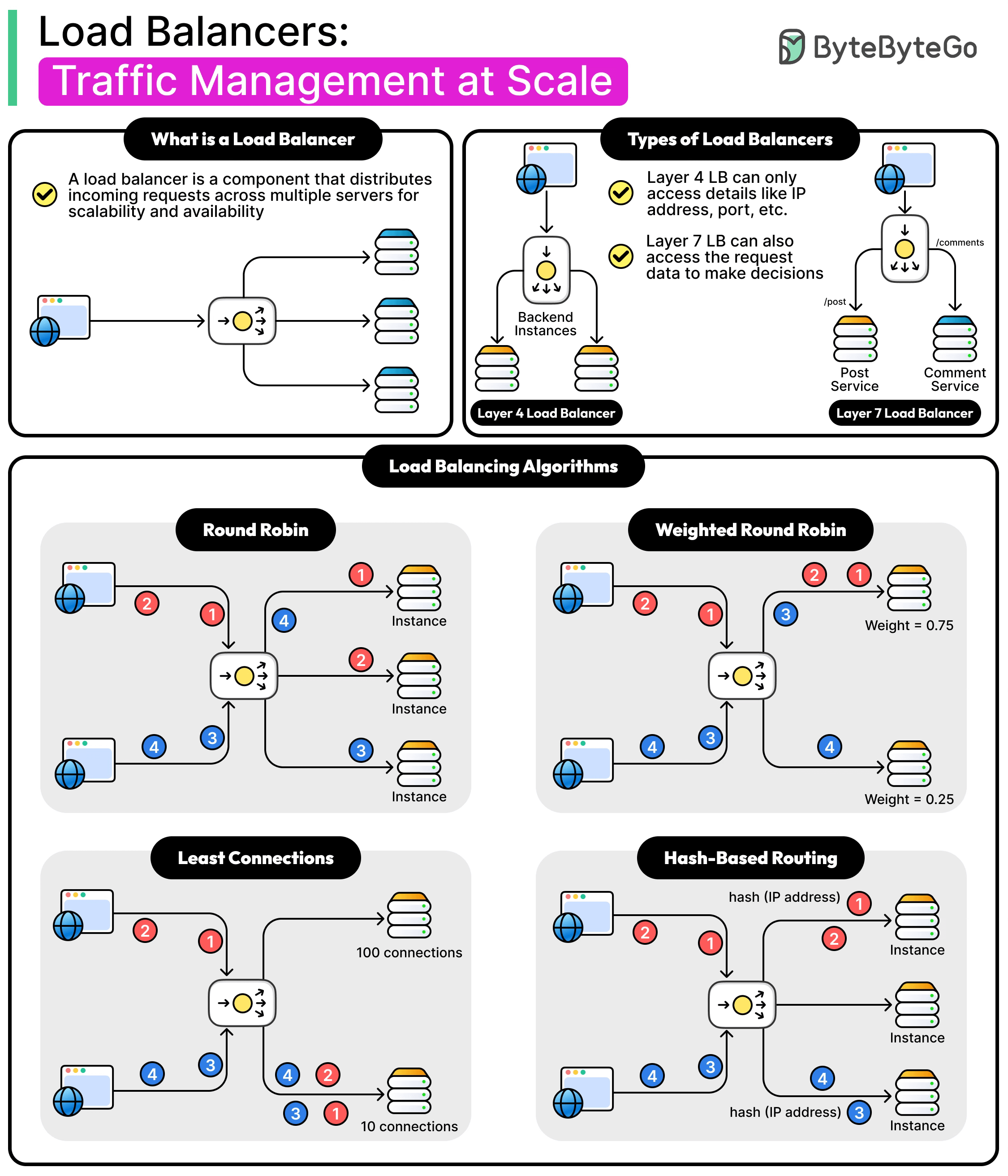
What a Load Balancer Does
Receives all incoming requests
Sends them to healthy servers
Removes failed servers automatically
Why Developers Should Care
Load balancers explain:
stateless backend design
session storage (Redis, JWT)
horizontal scaling
6️⃣ How All These Devices Work Together (Real-World Setup)
Now let’s connect everything.
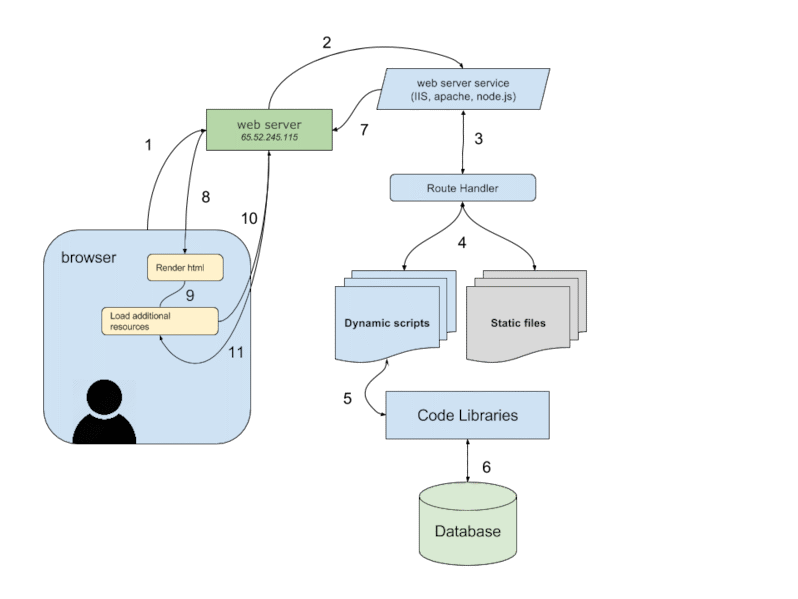
Real Request Flow
User Device
  ↓
Modem (signal conversion)
  ↓
Router (traffic direction)
  ↓
Firewall (security check)
  ↓
Load Balancer (traffic distribution)
  ↓
Backend Server
  ↓
Response back to user
Every request your app handles passes through this chain.


