How a Browser Works: A Beginner-Friendly Guide to Browser Internals

A Beginner-Friendly Guide to Browser Internals
Most people say:
“A browser opens websites.”
That is true — but incomplete.
A browser is actually a complex software system that:
fetches files from the internet
understands HTML, CSS, and JavaScript
calculates layouts
draws pixels on your screen
This article explains how a browser really works, step by step, in simple words.
1️⃣ What a Browser Actually Is (Beyond “It Opens Websites”)
A browser is a program that:
Talks to servers on the internet
Downloads website files
Converts text files into visual pages
Handles user interaction (clicks, scrolls, typing)
A browser turns code into pixels.
Without a browser:
HTML is just text
CSS is just rules
JavaScript does nothing
2️⃣ Main Parts of a Browser (High-Level Overview)
At a high level, a browser has these parts:


Core Parts
User Interface
Browser Engine
Rendering Engine
Networking
JavaScript Engine
Data Storage
You don’t need to memorize this.
Just understand what each part does.
3️⃣ User Interface (What You Interact With)
This is the visible part of the browser.
Includes:
Address bar (URL bar)
Back / Forward buttons
Tabs
Bookmarks
Reload button
Important:
The UI is not the web page itself.
It is part of the browser application.
4️⃣ Browser Engine vs Rendering Engine (Simple Difference)
This is confusing for beginners, so let’s keep it clear.
Browser Engine
Acts as a controller
Connects UI with the rendering engine
Decides when to load, reload, or navigate
Rendering Engine
Responsible for displaying the web page
Understands HTML and CSS
Draws content on screen
Browser Engine = manager
Rendering Engine = painter
5️⃣ Networking: How a Browser Fetches Files
When you type:
https://example.com
The browser:
Resolves the domain using DNS
Opens a network connection
Sends an HTTP request
Receives a response

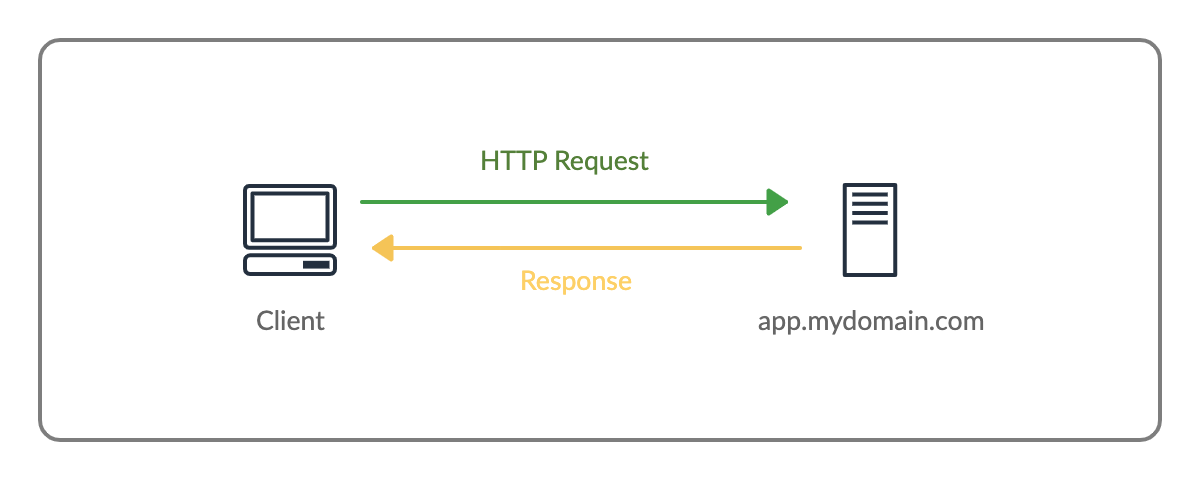
The response may contain:
HTML
CSS
JavaScript
Images
Fonts
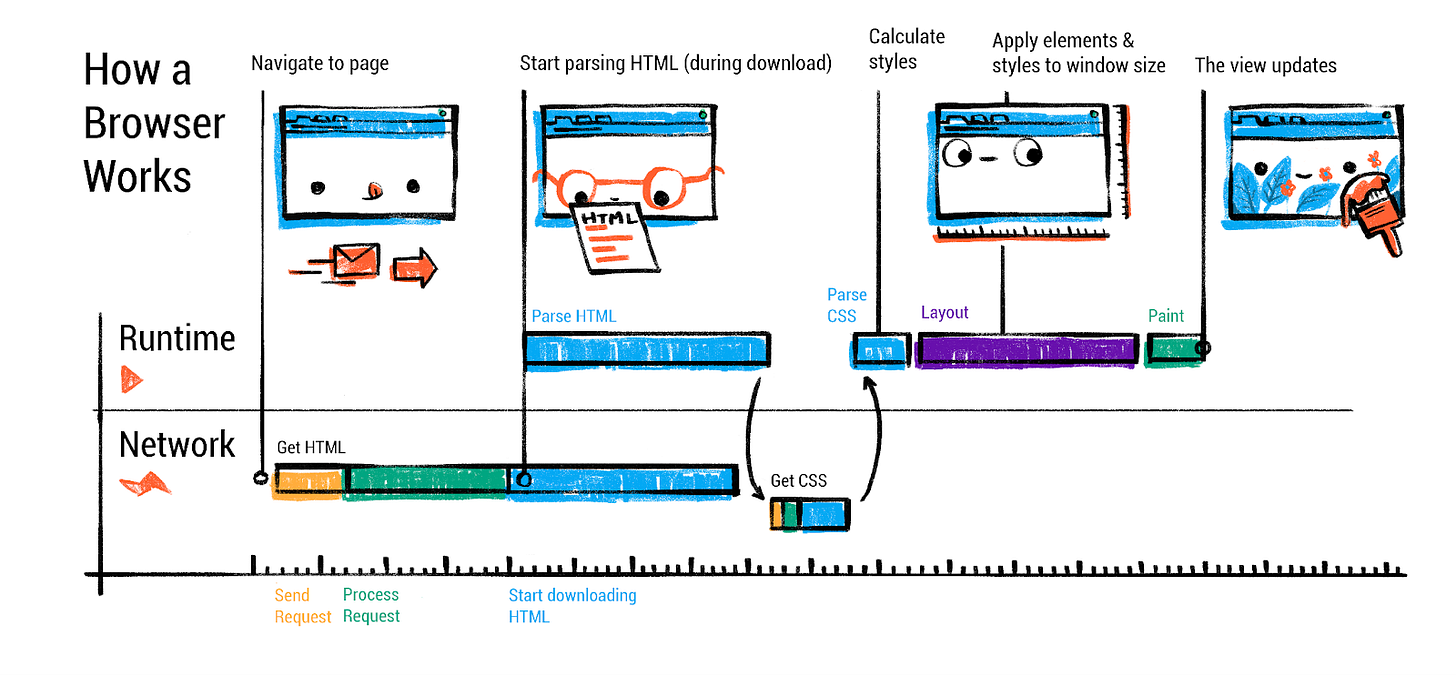
6️⃣ HTML Parsing and DOM Creation
HTML is text, but the browser needs structure.
Example HTML:
<h1>Hello</h1>
<p>Welcome</p>
The browser:
Reads HTML from top to bottom
Converts it into a tree structure
This tree is called the DOM (Document Object Model).


DOM represents:
Elements
Nesting
Relationships
7️⃣ CSS Parsing and CSSOM Creation
CSS is also text, not style yet.
Example CSS:
h1 { color: red; }
The browser:
Parses CSS
Builds another tree called CSSOM

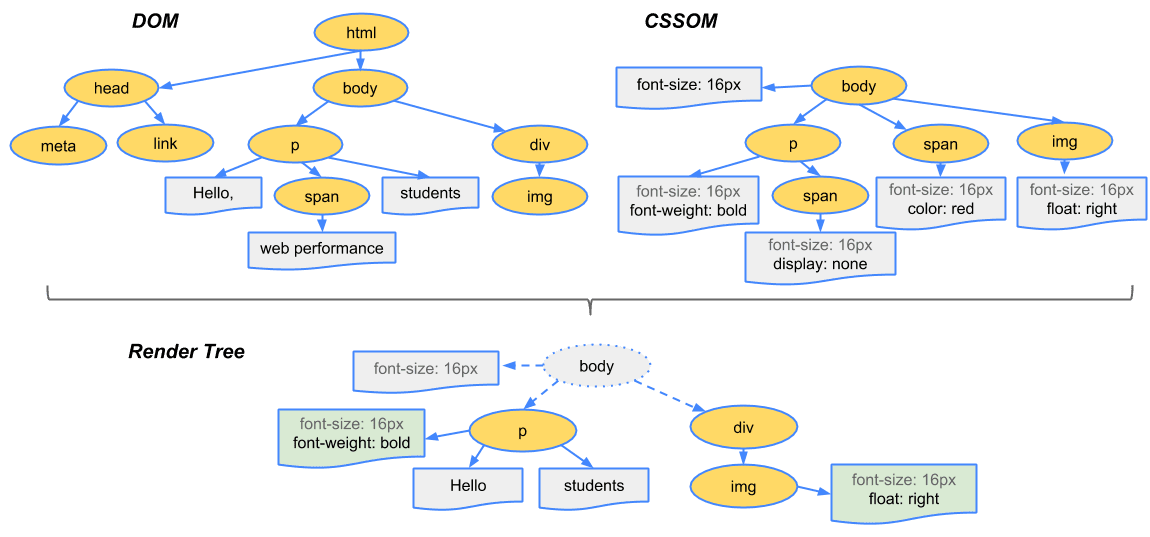
CSSOM stores:
Style rules
How styles apply to elements
8️⃣ How DOM and CSSOM Come Together
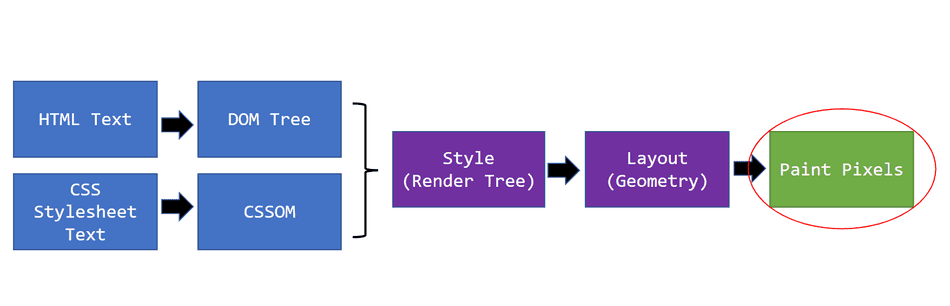
The browser combines:
DOM (structure)
CSSOM (styles)
To create the Render Tree.

Important:
Hidden elements are not included
Only visible elements matter here
9️⃣ Layout (Reflow): Calculating Positions
Now the browser knows:
What to draw
How it should look
Next step:
Where should it appear?
This step is called Layout or Reflow.
Browser calculates:
Width
Height
Position

🔟 Painting and Display (Pixels on Screen)
After layout:
Browser paints pixels
Text, colors, images are drawn
Final page appears on screen

This happens many times:
On scroll
On resize
On DOM changes
1️⃣1️⃣ Very Basic Idea of Parsing (Simple Math Example)
Parsing means:
Reading input and understanding its structure
Example:
2 + 3 * 4
Parser converts it into a tree:


Browser does the same:
HTML → DOM tree
CSS → CSSOM tree
1️⃣2️⃣ Full Browser Flow (URL → Pixels)

Complete Flow
URL entered
 → DNS + Network
 → HTML download
 → DOM creation
 → CSS download
 → CSSOM creation
 → Render Tree
 → Layout
 → Paint
 → Display
Final Summary (Easy Words)
Browser fetches files
HTML becomes DOM
CSS becomes CSSOM
DOM + CSSOM → Render Tree
Layout decides positions
Paint draws pixels
A browser is a pipeline that turns code into visuals.
Why This Matters for Developers
Understanding this helps you:
Write better HTML & CSS
Avoid layout performance issues
Understand reflows & repaints
Debug rendering bugs
Build faster websites


