DNS Record Types Explained

Introduction: What Is DNS?
When you open a website like:
google.com
your computer cannot understand this name.
Computers only understand IP addresses, like:
142.250.190.14
DNS helps your computer find the correct IP address for a website name.
DNS is like a contact list of the internet.
You search by name, DNS gives the number.
Why DNS Records Are Needed
A website is not just one thing.
It needs:
An IP address to load the site
A mail server to receive emails
Ownership information
Security verification
DNS records store different types of information about a domain.
Each record has one clear responsibility.
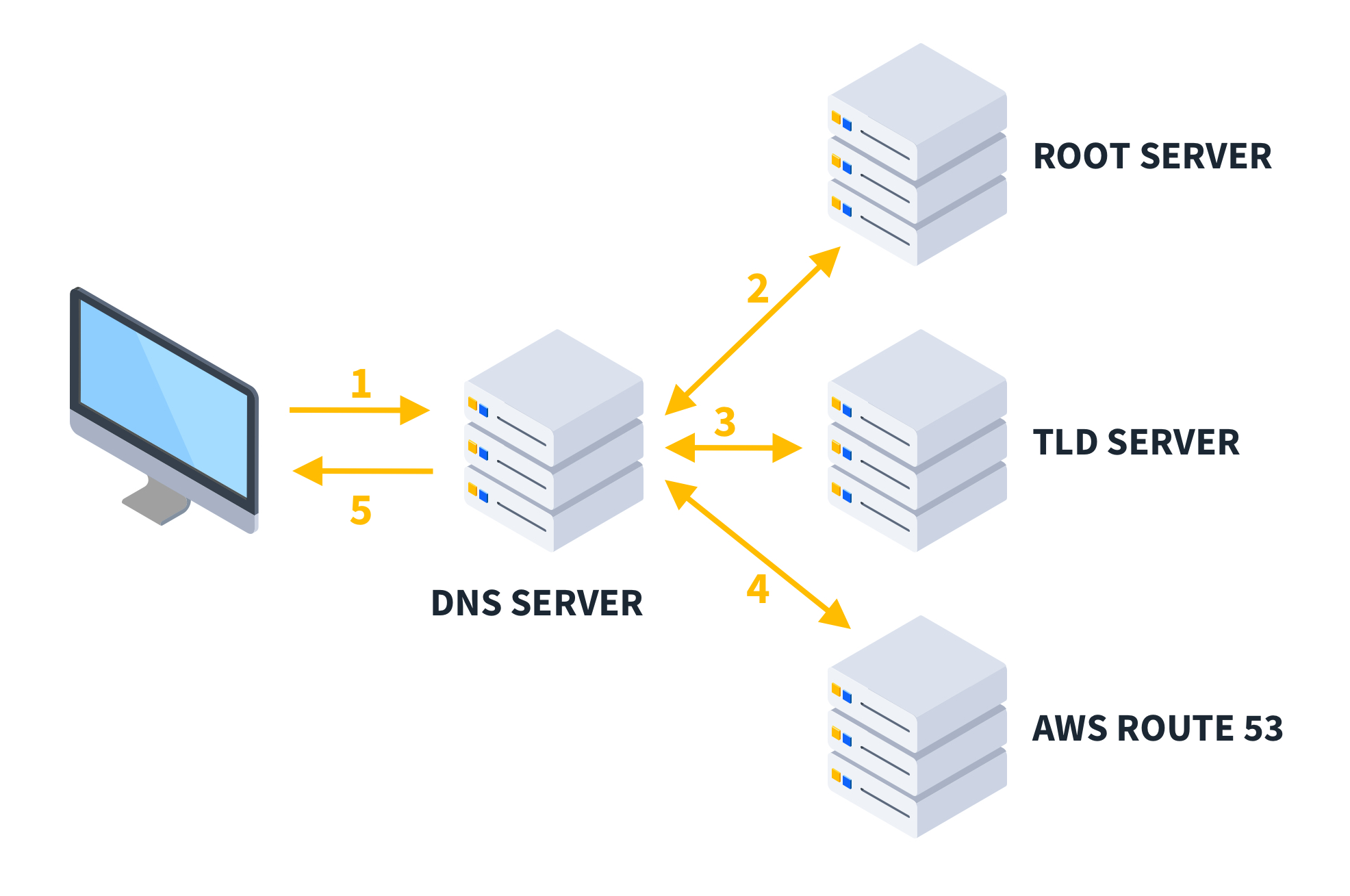
What Is an NS Record? (Who Is Responsible)
NS = Name Server
An NS record answers this question:
“Who is responsible for managing DNS for this domain?”
Example:
google.com → ns1.google.com
This means:
These name servers have the final authority
They decide what IP, mail server, etc., the domain uses

Important:
NS records do NOT store IP addresses.
They only point to who manages the domain.
What Is an A Record? (Domain → IPv4 Address)
A = Address
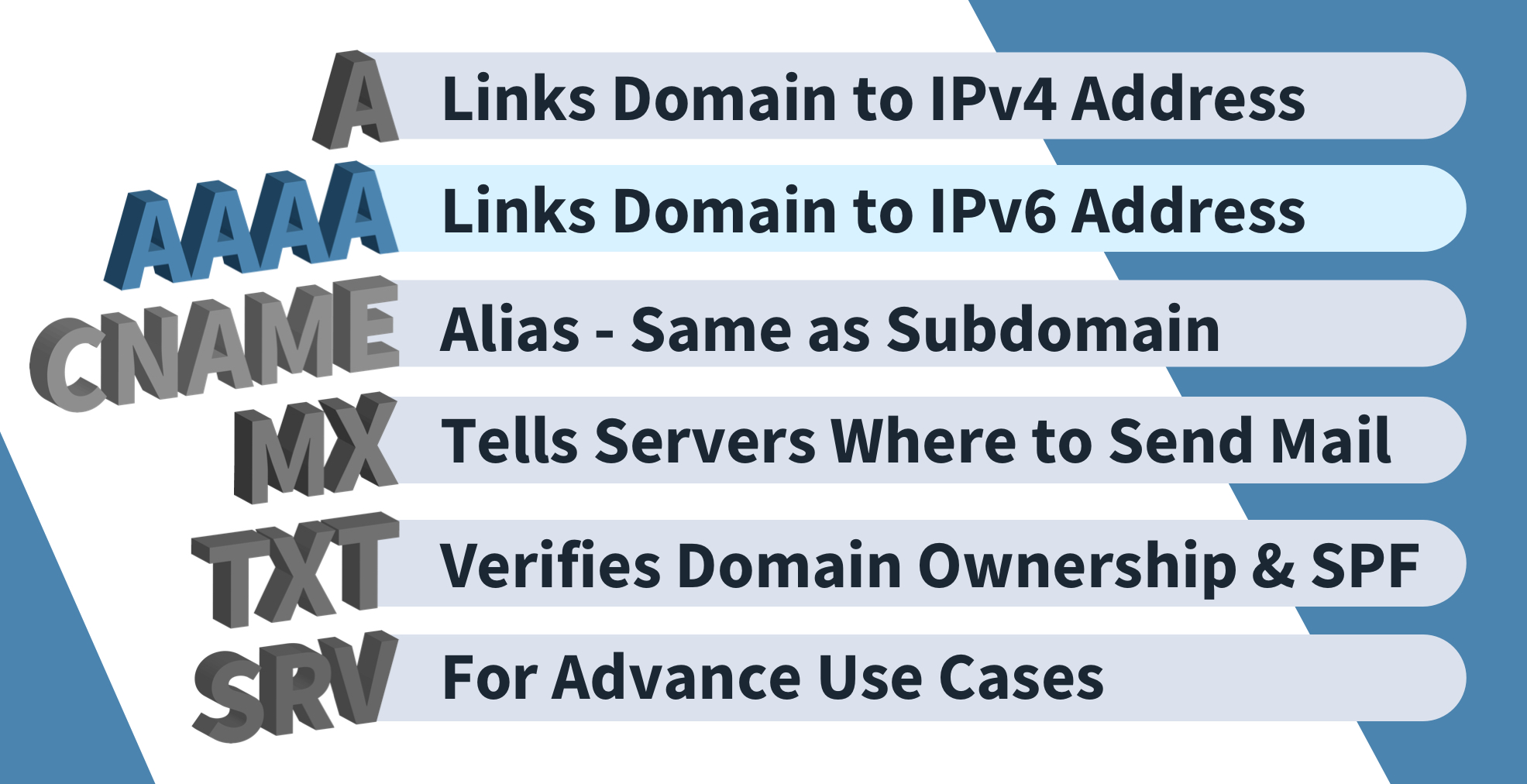
An A record maps:
domain name → IPv4 address
Example:
google.com → 142.250.190.14
This is the most important record for websites.
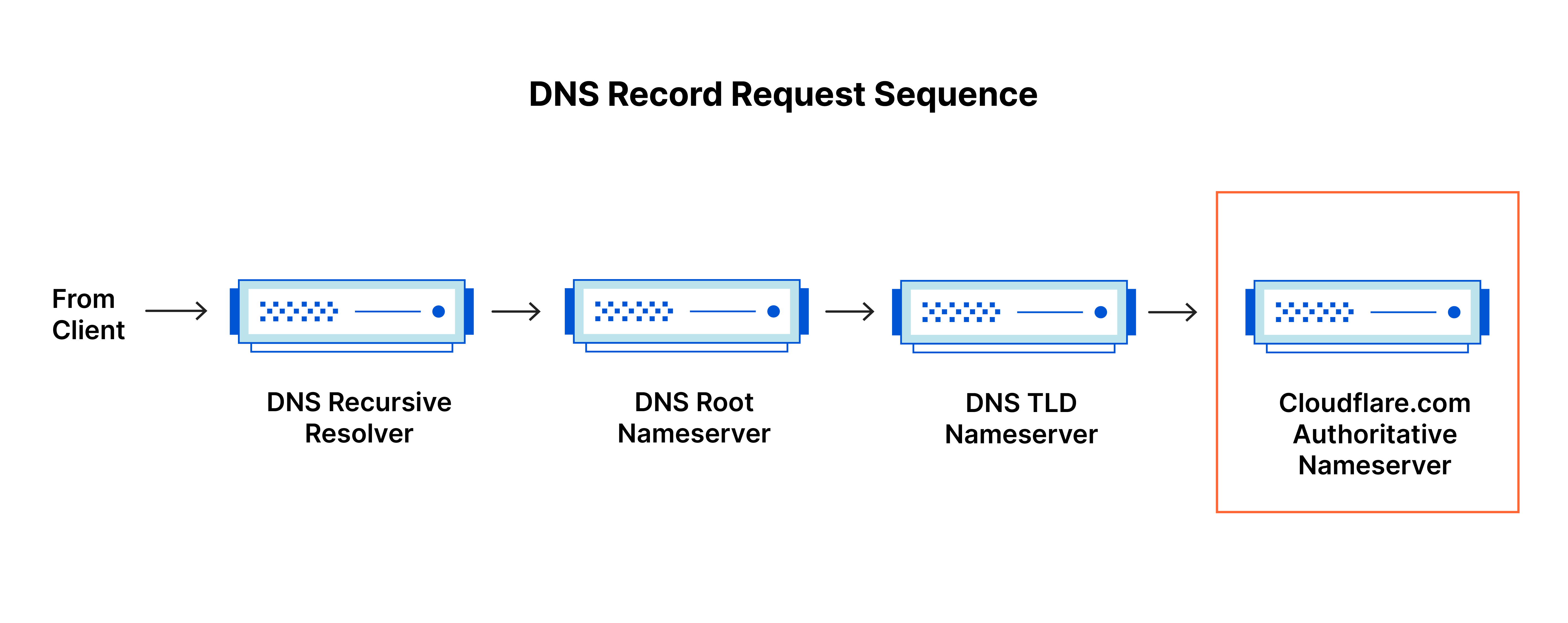
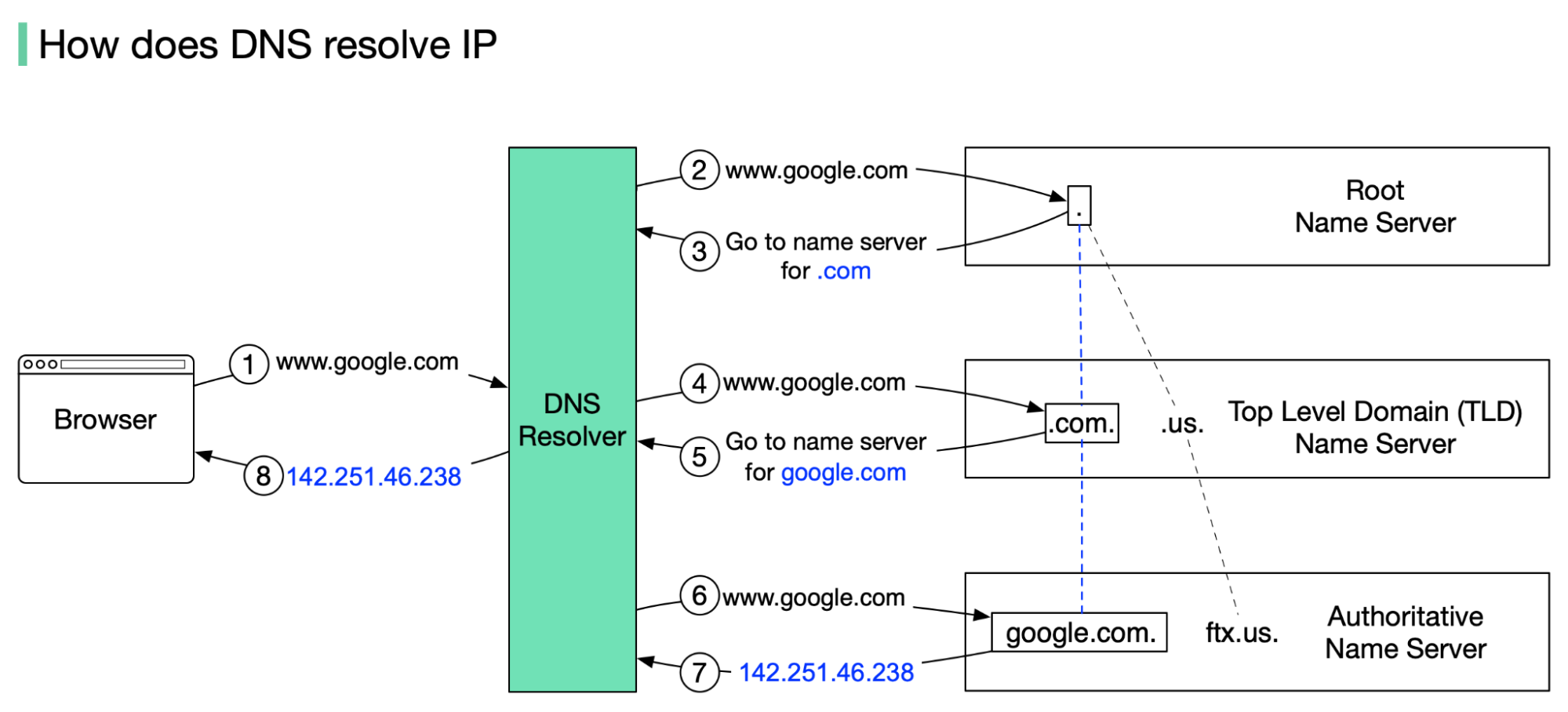
When you type a website in the browser:
DNS looks for the A record
Browser connects to that IP
What Is an AAAA Record? (Domain → IPv6 Address)
AAAA record is similar to A record, but:
A → IPv4
AAAA → IPv6
Example:
google.com → 2607:f8b0:4005:805::200e
Why IPv6?
IPv4 addresses are limited
IPv6 provides many more addresses

Modern systems prefer IPv6 if available.
What Is a CNAME Record? (Name Pointing to Name)
CNAME = Canonical Name
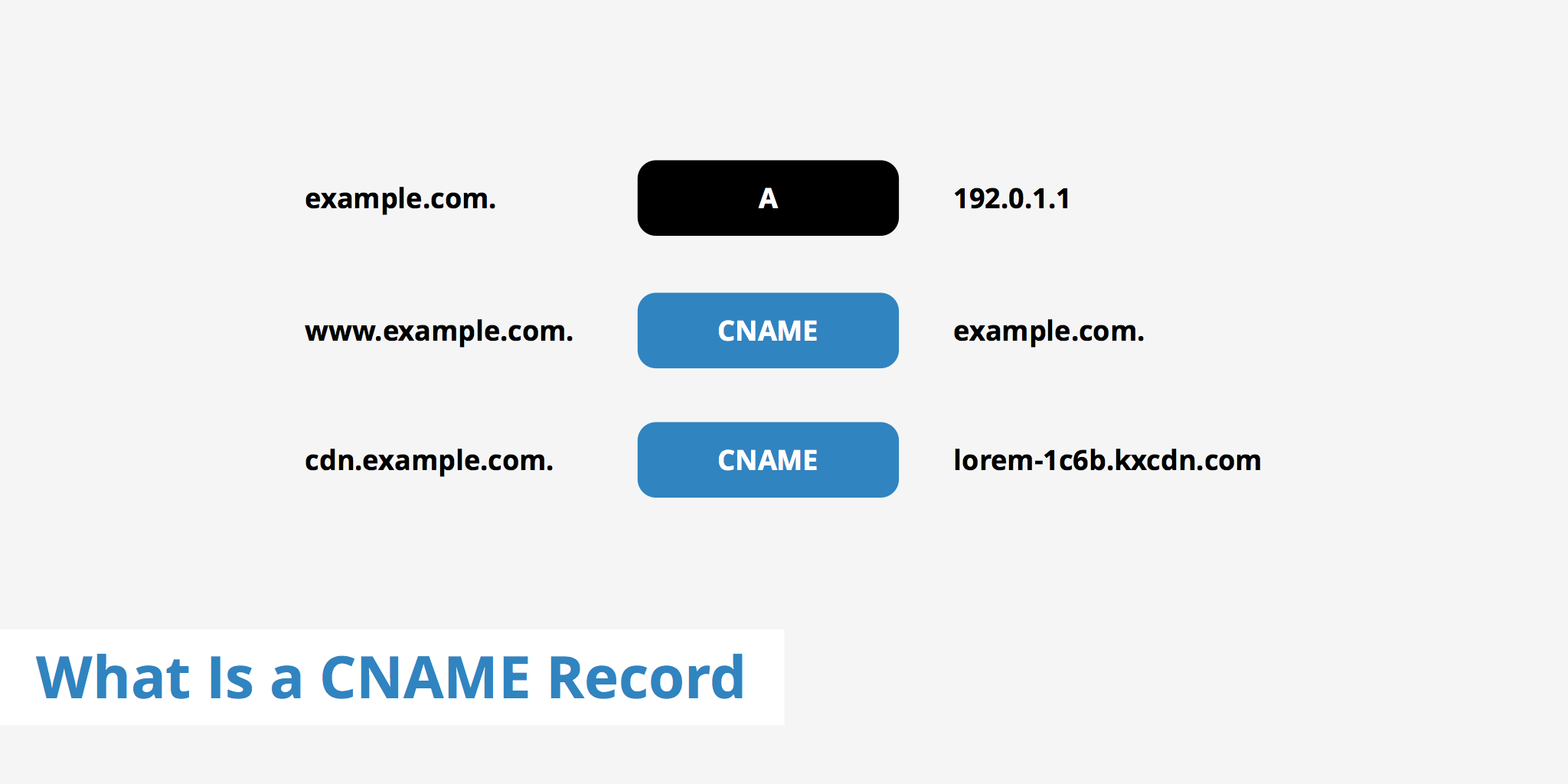
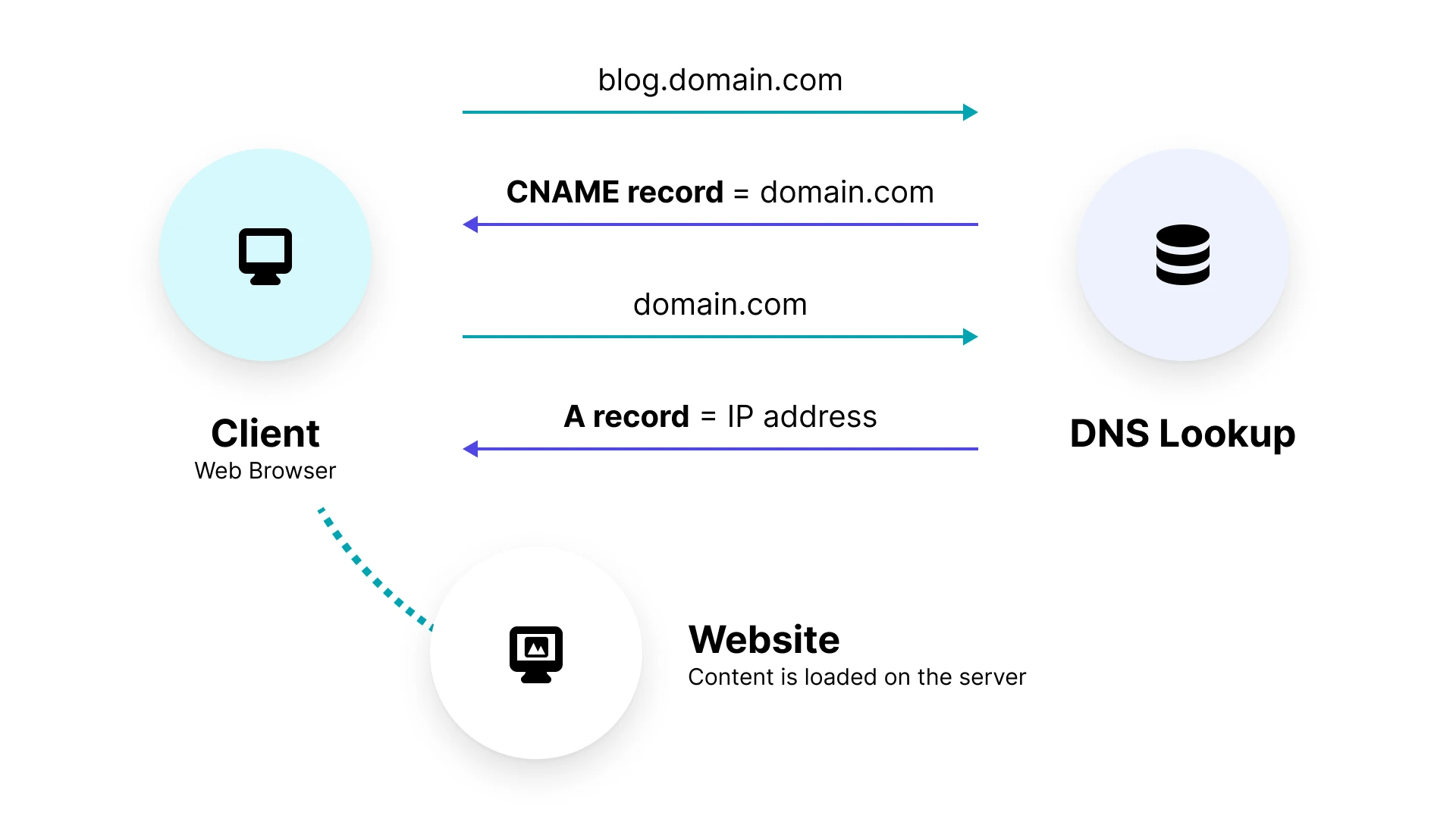
A CNAME record points:
one domain name → another domain name
Example:
www.example.com → example.com
This means:
www.example.comdoes not have its own IPIt uses whatever IP
example.comhas
Why CNAME is useful:
Easy management
One place to change IP
Subdomains stay updated automatically
What Is an MX Record? (Email Routing)
MX = Mail Exchange
MX records tell the internet:
“Where should emails for this domain be delivered?”
Example:
example.com → mail.google.com
When someone sends:
hello@example.com
DNS uses MX records to find the mail server.


Without MX records:
- Emails will not reach your domain
What Is a TXT Record? (Extra Information & Verification)
TXT = Text
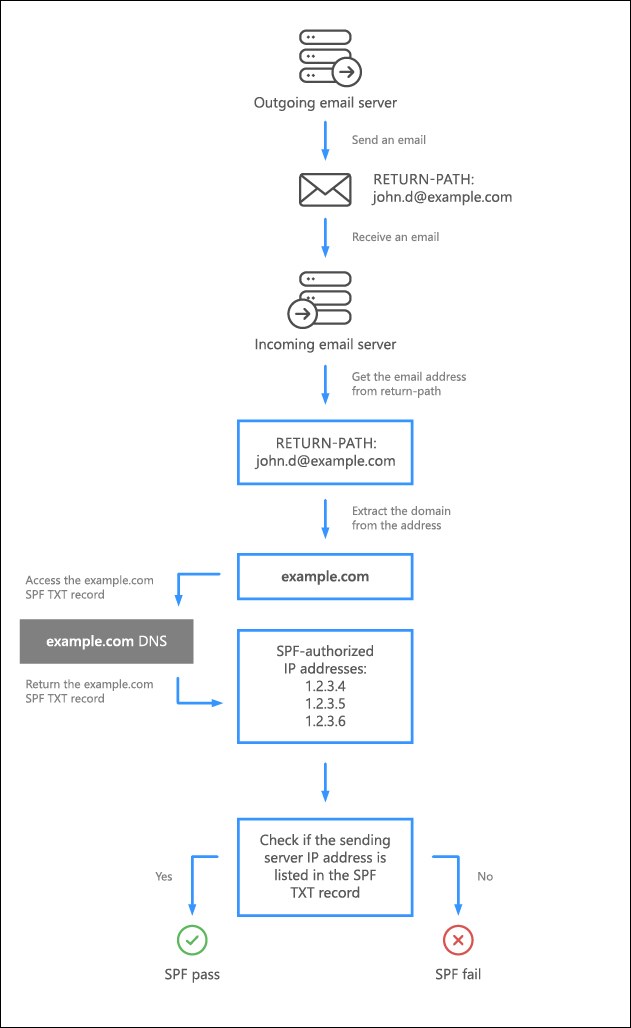
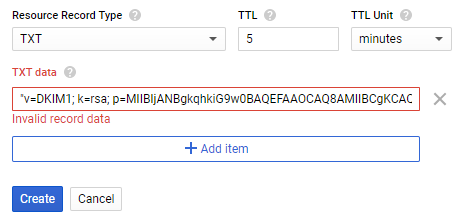
TXT records store extra information.
Common uses:
Domain ownership verification
Email security (SPF, DKIM, DMARC)
Third-party service verification
Example:
google-site-verification=xyz123
TXT records do not affect website loading directly,
but they are very important for security and trust.
How All DNS Records Work Together (One Website)
Let’s take one example:
example.com
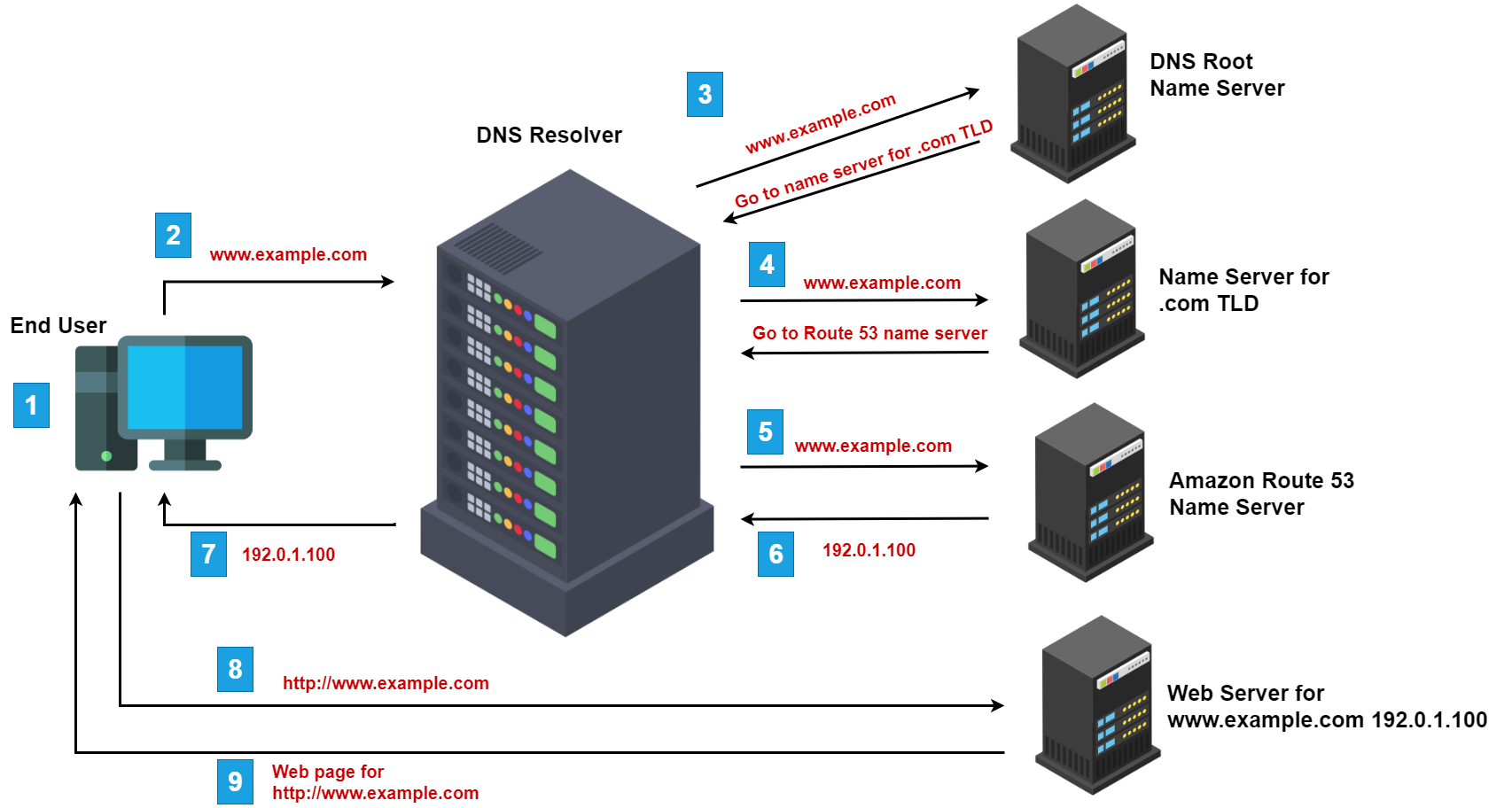
Step-by-Step Flow
NS Record
- Finds who manages the domain
A / AAAA Record
- Finds the server IP
CNAME
- Handles subdomains like
www
- Handles subdomains like
MX Record
- Routes emails
TXT Record
- Verifies ownership and security
Each record has one job, and together they make the website work.


